
Varia AKU Bluetooth App
Brew Better connects to a supported Varia AKU over Bluetooth on iOS and Android. Follow live weight and flow rate during your pour, then save the curve with your recipe and tasting notes. Connect from inside Brew Better, not in your device’s Bluetooth settings.
It connects directly to the Varia AKU, records the scale’s live data, and keeps the resulting curve beside your coffee, recipe, and tasting notes. Firmware updates remain a separate Varia process.
What Brew Better Adds to Varia AKU
With a supported Varia AKU connected, Brew Better can:
- Show live weight and calculated flow rate while you pour.
- Follow the timer data reported by the scale.
- Read the scale’s battery level.
- Stop or reset the scale timer after it is running.
- Save the coffee, recipe, grind setting, water temperature, ratio, and notes with the curve.
- Analyze pour phases and compare one brew with another.
Review the saved curve when you adjust your grind setting or pouring pattern, then compare it with the next brew.
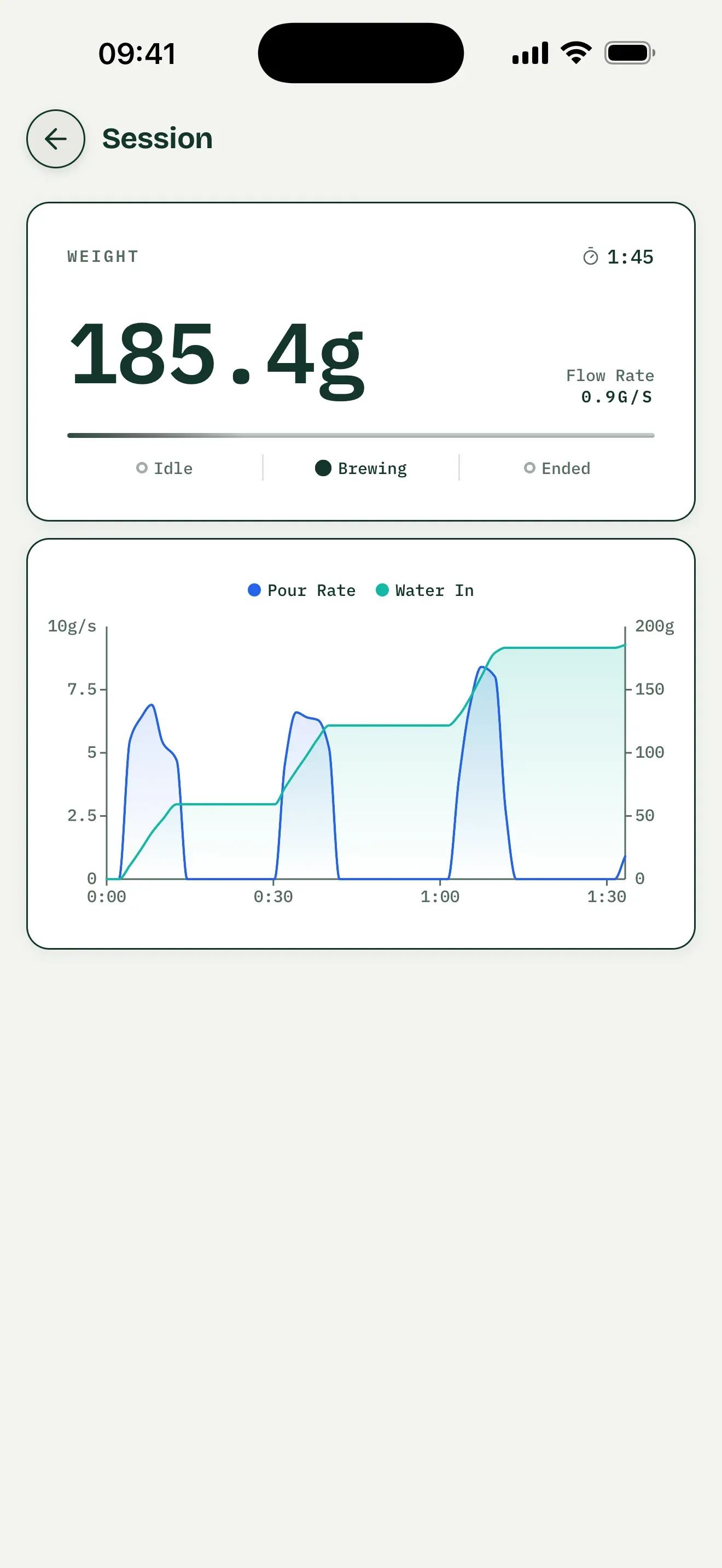
General interface example, not a hardware test of a Varia AKU.
Review the Saved Record and Pour Phases
Save your AKU brew as a recipe with its recorded session, coffee, grind setting, temperature, and tasting notes. Expand Pouring Structure in the saved record to review detected pours and pauses. Read phase timing and water amounts beside the curve to check where your actual pouring departed from your intended plan.
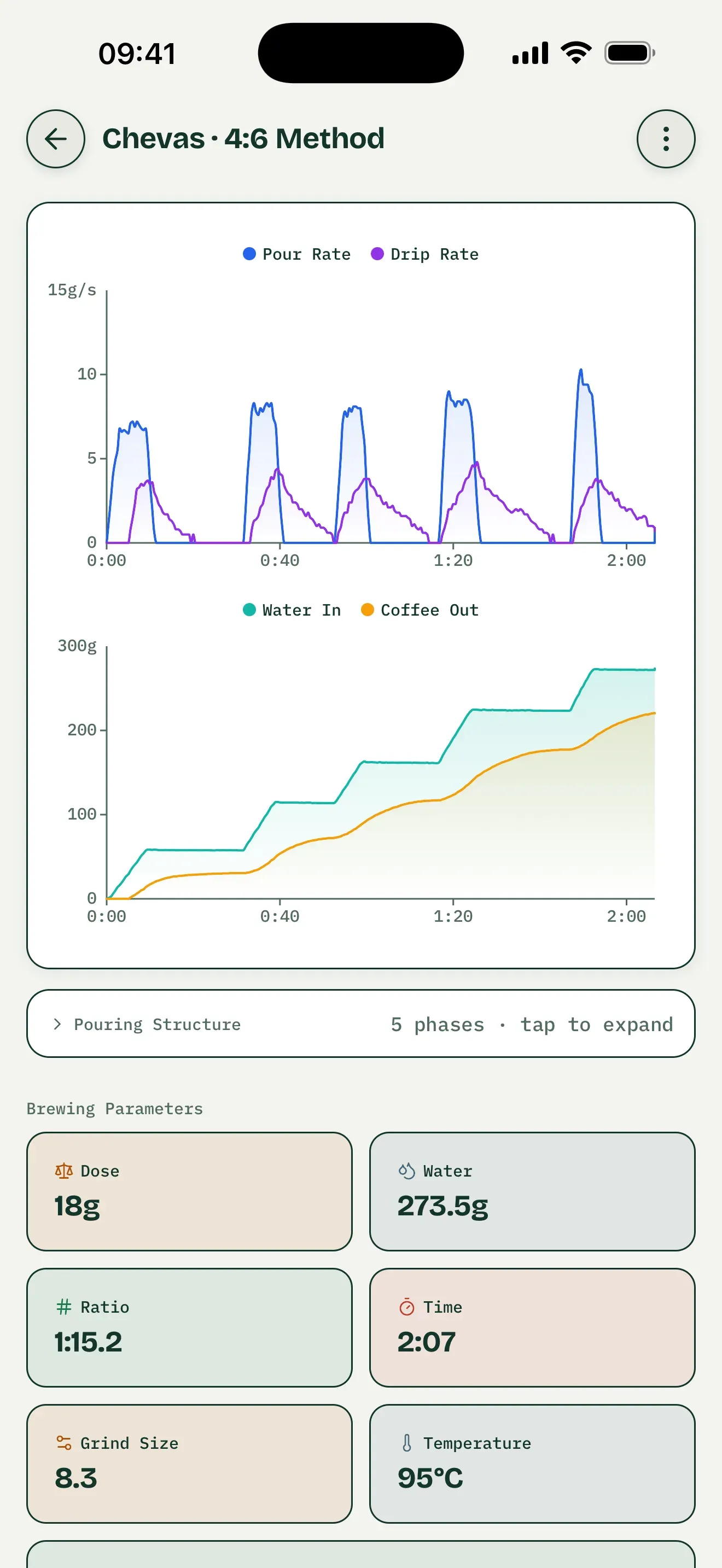
Saved-record interface example, not an AKU test. Coffee-out and drip-rate metrics require suitable dual-weight hardware, not the supported Varia AKU.
Compare Brews with One Change
Choose two saved brews and select a baseline. Adjust only grind setting while holding coffee, dose, water, and pour plan constant. Compare overlaid weight or pour-rate curves, phase timing, and water amounts. Read tasting notes alongside these differences without treating the chart as proof that a particular change caused a taste result.
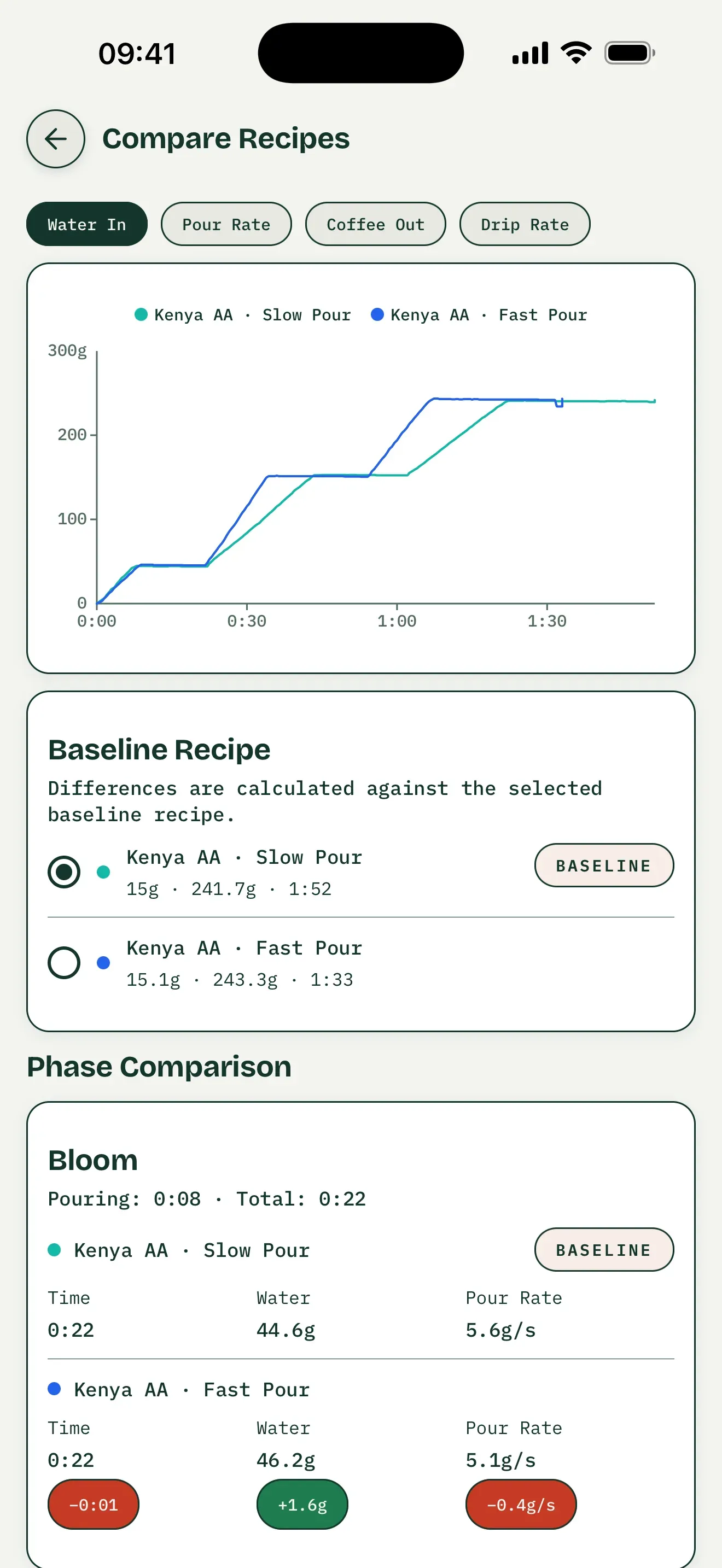
General comparison interface, not an AKU test. The coffee-out and drip-rate tabs require dual-weight data.
Practice Against Your Recorded Curve
Open a saved recipe with a recorded session, choose Recreate this brew to practice, and connect your supported AKU. Its saved curve becomes the target overlaid with your live curve. Tare and start timing on the scale itself. Preset following is separate: it uses planned steps and targets rather than recreating a saved recording.
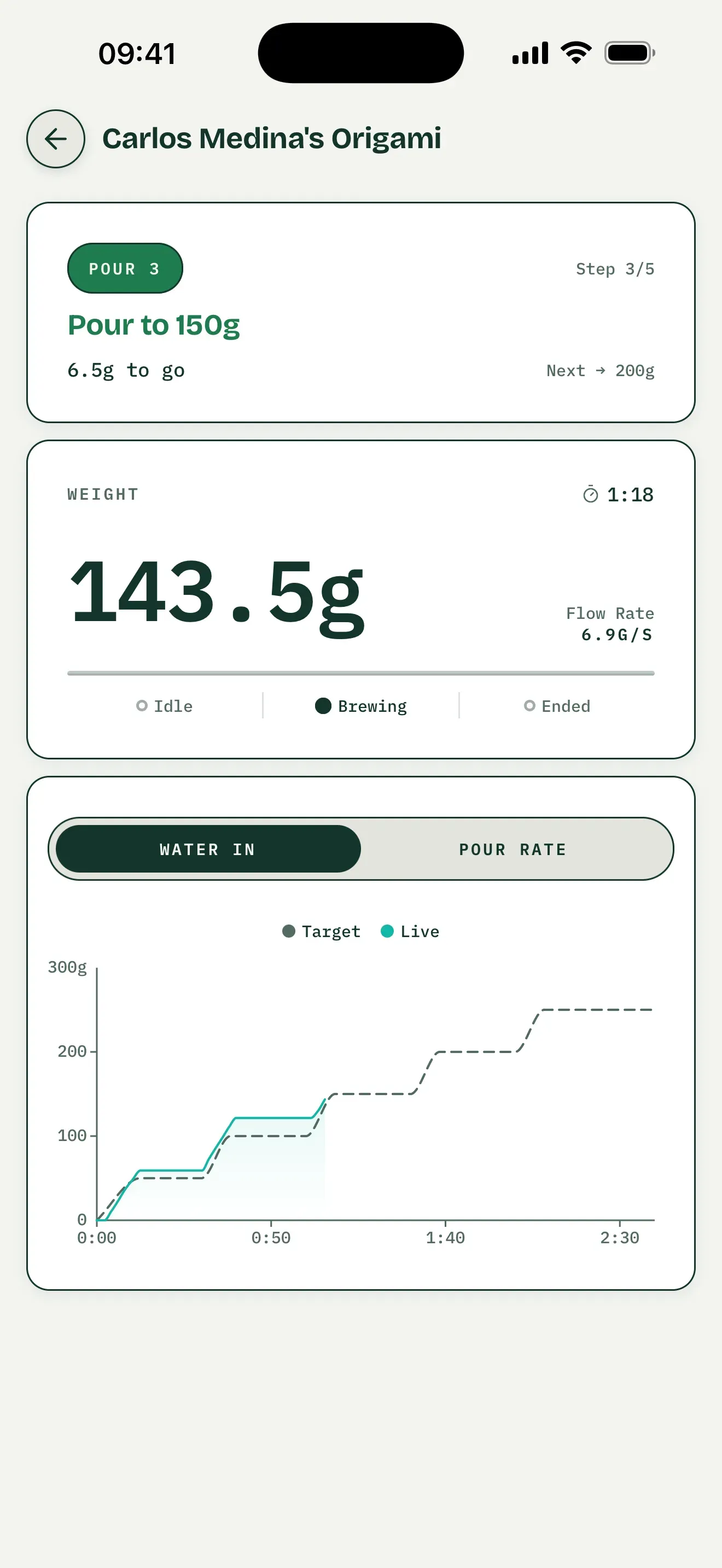
Preset-guidance interface example, not saved-brew practice or a Varia AKU model test.
Brew Better and Varia’s Tools Serve Different Jobs
| What you need | Brew Better | Varia documentation and tools |
|---|---|---|
| Live brewing with Varia AKU | Yes | Varia supports third-party app connections |
| Detailed brew records and comparison | Yes | Choose a compatible brewing app |
| Automatic pour-phase analysis | Yes | Choose a compatible brewing app |
| Scale firmware updates | — | Follow Varia’s firmware process |
| Scale modes and device settings | — | Use the scale controls and manual |
Use Varia’s official support for the documentation and firmware tools for your exact model. Varia’s app and Bluetooth features differ by model; this page describes the Varia AKU integration in Brew Better, not every scale in the AKU range.
Controls and Compatibility Boundaries
Brew Better reads live weight, timer, and battery data from the supported Varia AKU integration. It can stop or reset the scale timer, but it does not start the timer remotely. Use the physical scale controls to tare and begin timing.
The app does not replace Varia’s firmware update procedure. Support for AKU does not establish compatibility with AKU Pro or AKU Mini; those models are not verified by this guide.
Start Brewing
Brew Better is available on iOS and Android. Download on the App Store or Get it on Google Play, turn on the Varia AKU, and connect it from Brew Better’s Bluetooth page. You do not need to pair the scale in your device’s Bluetooth settings. Follow the Varia AKU connection guide for step-by-step help.
Comparing all supported brands? See our Bluetooth coffee scale app guide.
Frequently Asked Questions
Does this guide cover Varia AKU Pro and AKU Mini?
No. This guide covers the supported Varia AKU integration in Brew Better. Do not assume that another AKU model has the same Bluetooth data or controls. Check the documentation for your exact scale before choosing an app.
Can Brew Better control the Varia AKU timer?
Brew Better can stop or reset the timer after it is running. Start the timer and tare from the physical scale controls.
Can I see the Varia AKU battery in Brew Better?
Yes. The supported integration reads the battery status reported by the scale and displays it in the app.