BOOKOO Themis Mini and Ultra App
If you are looking for a BOOKOO app alternative for the Themis Mini or Themis Ultra, Brew Better turns the scale’s live data into a complete brew record on iOS and Android. You can follow weight and flow rate as you pour, control the scale from your phone, and review the result with the recipe and coffee details still attached.
Brew Better is designed for brewing, analysis, and comparison. Keep BOOKOO’s official app available for firmware updates or device settings that are specific to your scale.
What Brew Better Adds to Your BOOKOO Scale
With a supported Themis scale, you can:
- View live weight and flow-rate curves during the brew.
- Tare the scale and start, stop, or reset its timer from your phone.
- Read the scale’s battery level before it needs charging.
- Save the coffee, recipe, grind setting, temperature, ratio, and tasting notes with the curve.
- Review automatic pour-phase analysis after brewing.
- Compare brews to see what changed when you adjust a recipe.
Follow your pour rate during brewing, then save the curve with the recipe and tasting notes. When you change your grind setting or pouring pattern, compare the next brew with the previous record.
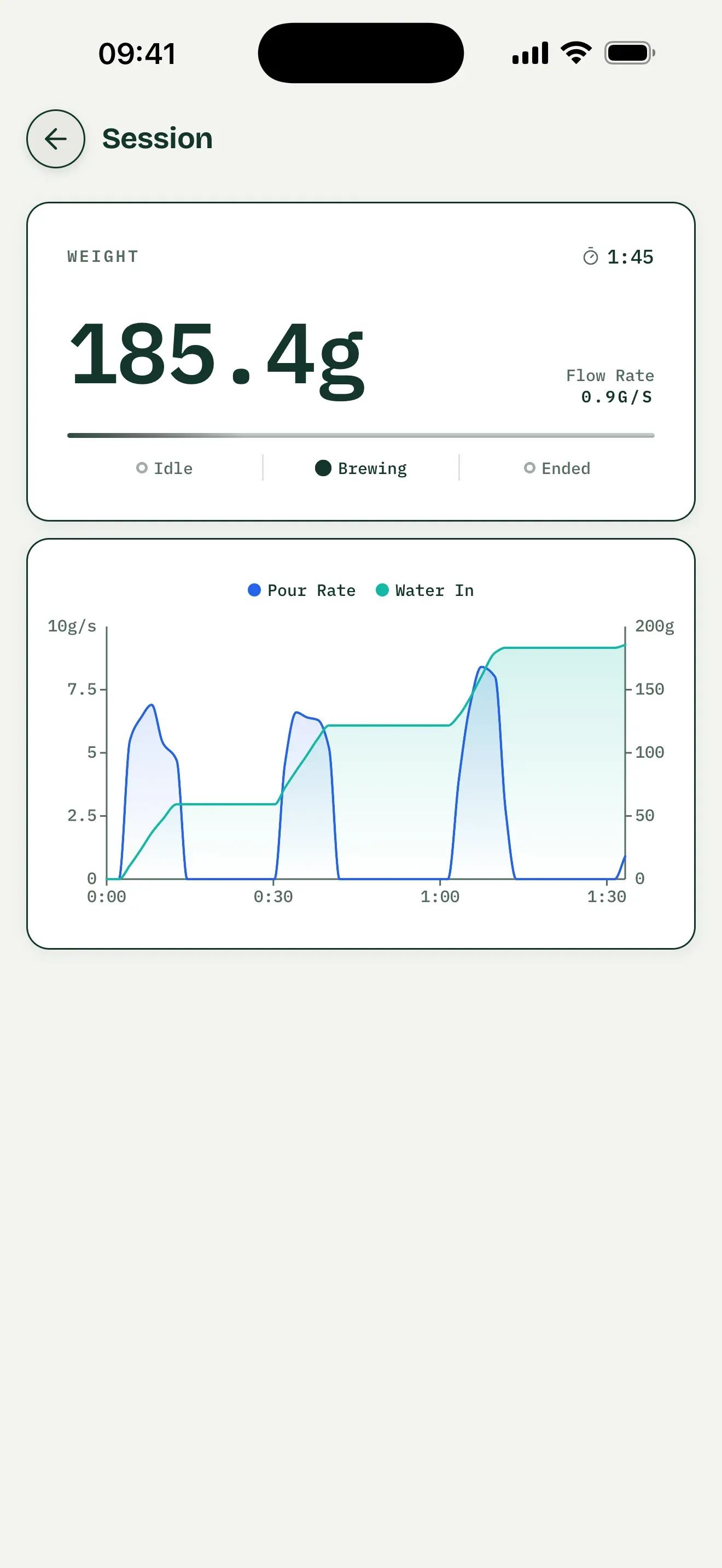
General interface example, not a hardware test of a BOOKOO Themis Mini or Ultra.
Save a Record You Can Review
Save your BOOKOO brew as a recipe with its recorded session and add coffee, grind setting, temperature, and tasting notes. Open the record and expand Pouring Structure to review detected pour phases. Read the curve alongside phase timing and water amounts to check your bloom, later pours, and pauses against your intended plan.
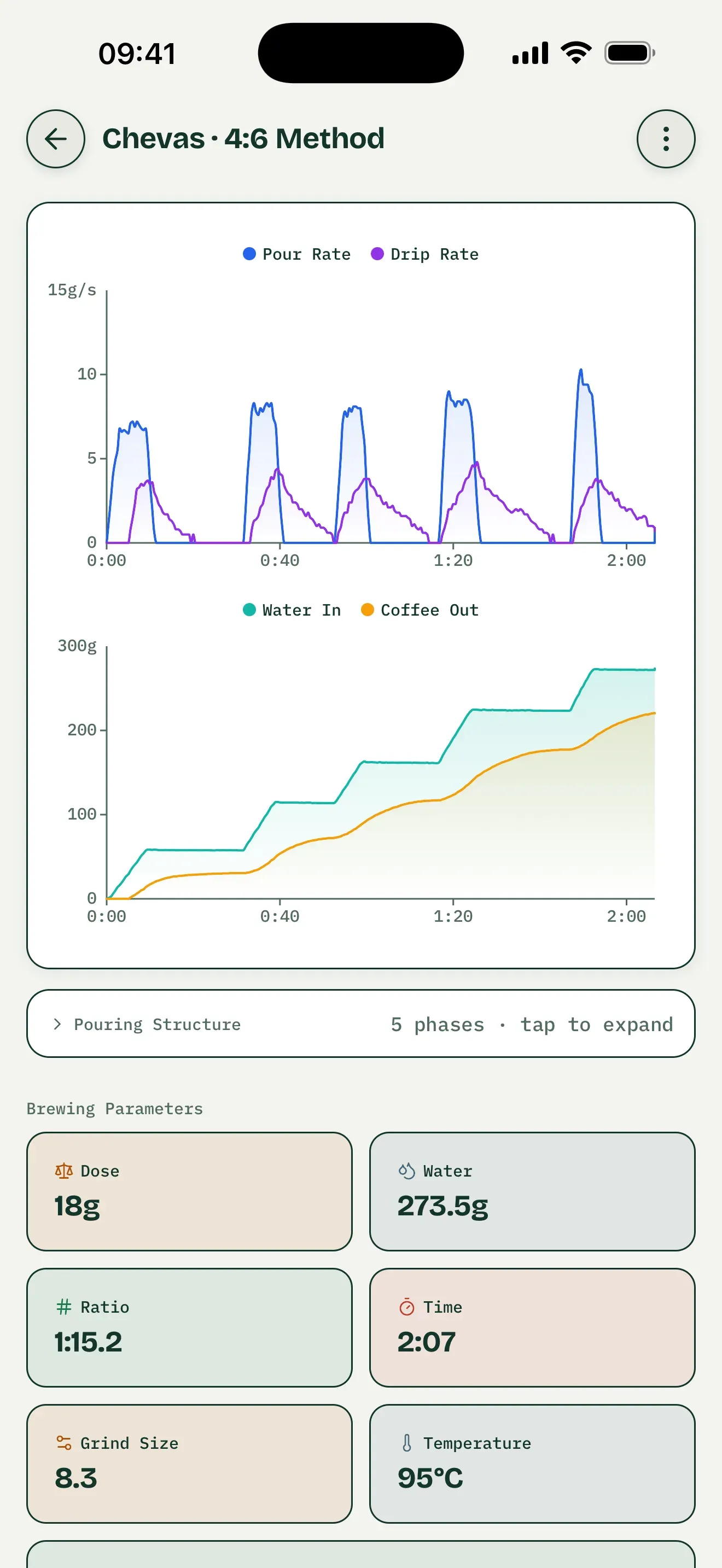
Saved-record interface example, not a BOOKOO test. Coffee-out and drip-rate metrics require suitable dual-weight hardware, not Themis Mini or Ultra.
Compare One Recipe Change
Choose two saved brews and set one as the baseline. Try a different pour rate while keeping coffee, dose, grind setting, and total water unchanged. Compare the overlaid weight or pour-rate curves and phase measurements, then read your tasting notes separately. Differences in the chart describe the recorded pours; they do not prove a taste outcome.
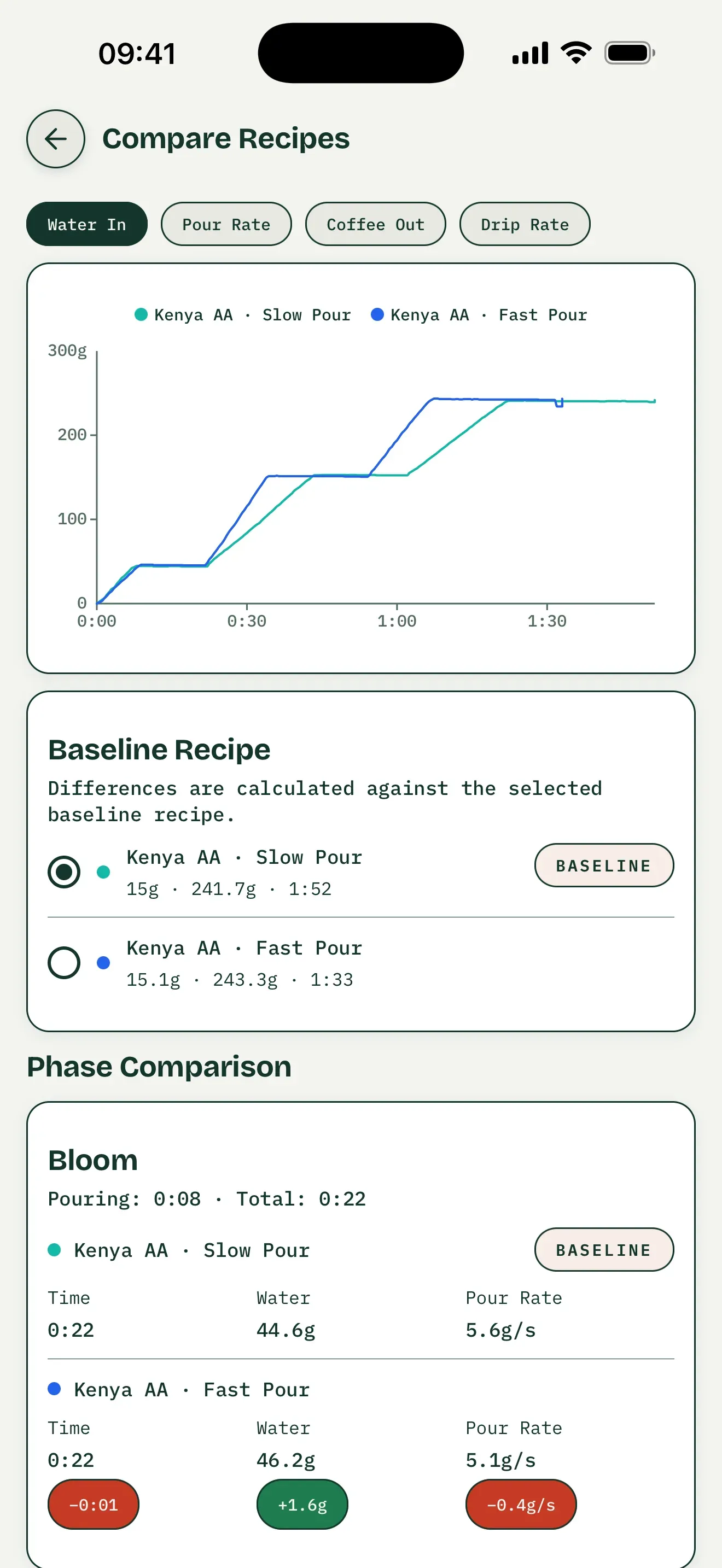
General comparison interface, not a BOOKOO test. The coffee-out and drip-rate tabs require dual-weight data.
Practice a Recorded Brew
Open a saved recipe with a recorded session, choose Recreate this brew to practice, and connect your supported Themis scale. The saved recorded curve is your target overlaid with the live curve, so you can follow weight and pour timing during another brew. Preset guidance is separate: it follows a preset’s planned steps rather than recreating your own recording.
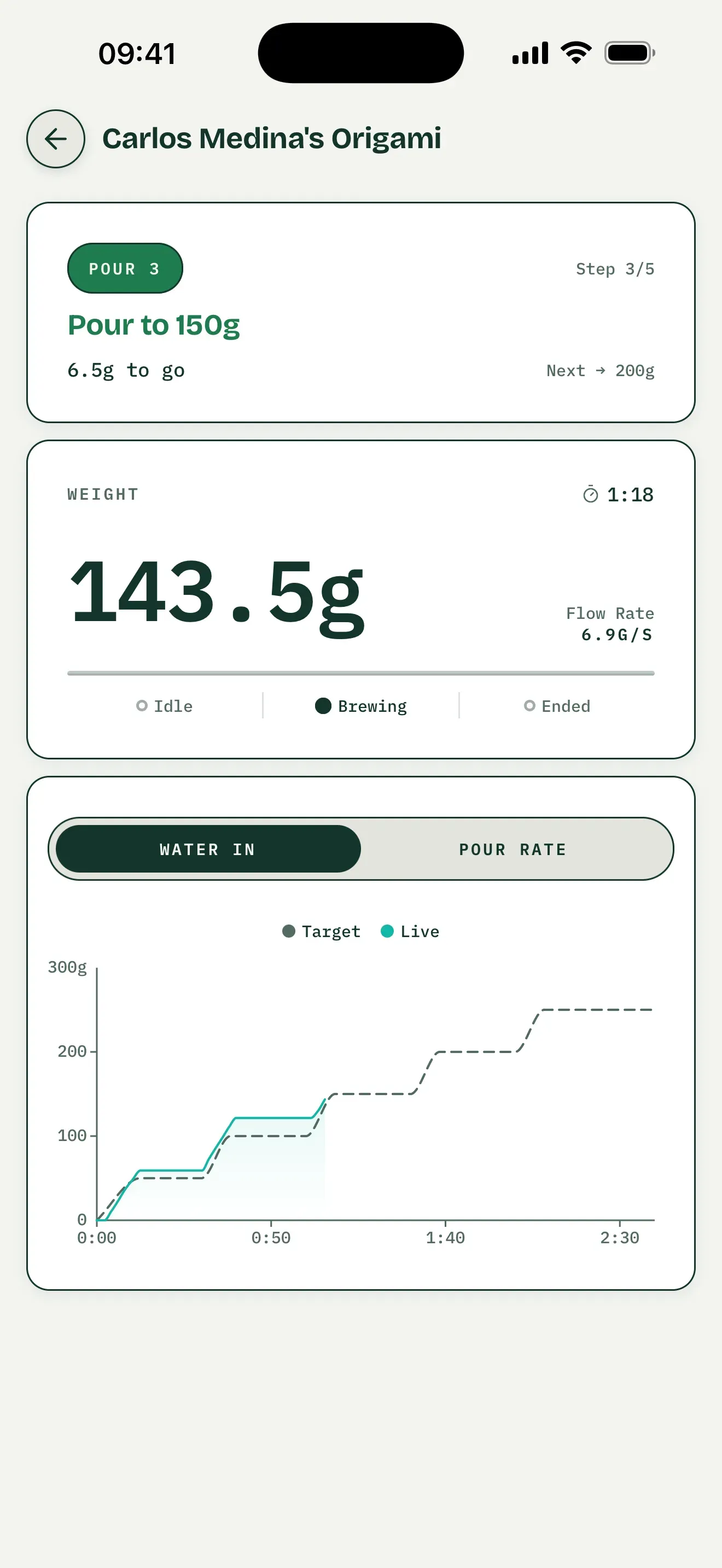
Preset-guidance interface example, not saved-brew practice or a BOOKOO model test.
Brew Better and the BOOKOO App Serve Different Jobs
| What you need | Brew Better | BOOKOO’s official app |
|---|---|---|
| Live weight and flow-rate chart | Yes | Yes |
| Tare and timer controls | Yes | Check the current app version |
| Detailed brew logs and comparison | Yes | Brew profiles are available |
| Automatic pour-phase analysis | Yes | Check the current app version |
| Scale firmware updates | — | Use the official app |
| BOOKOO-specific device settings | — | Use the official app |
You do not have to choose only one. Keep the official app for maintaining the scale and use Brew Better when you want to brew, record, analyze, and compare.
Supported BOOKOO Scales
Brew Better supports both the BOOKOO Themis Mini and BOOKOO Themis Ultra. The two models use the same supported Bluetooth connection for live weight, timer controls, tare, and battery status.
BOOKOO also publishes its own Themis Mini compatibility information. For Brew Better setup, follow our BOOKOO connection guide.
Start Brewing
Brew Better is available on iOS and Android. Download on the App Store or Get it on Google Play, turn on your Themis scale, and connect it from Brew Better’s Bluetooth page. You do not need to pair the scale in your device’s Bluetooth settings.
Comparing all supported brands? See our Bluetooth coffee scale app guide.
Frequently Asked Questions
Is Brew Better a replacement for the BOOKOO app?
It can be your main app for live brewing, detailed records, pour analysis, and comparing brews. Use BOOKOO’s official app when you need a firmware update or a BOOKOO-specific scale setting.
Can Brew Better control a BOOKOO Themis scale?
Yes. Brew Better can tare a supported Themis scale and start, stop, or reset its timer. It also reads live weight and battery status.
Why will my scale not connect?
Make sure Bluetooth is enabled. On iOS, grant Brew Better Bluetooth permission; on Android, grant Nearby devices permission when prompted. Older Android versions may request location permission for BLE scanning. Keep the scale on, nearby, and disconnected from other apps or devices before scanning inside Brew Better. Follow the BOOKOO connection guide for the steps.