
Acaia Lunar and Pearl App Alternative
Brew Better is an app for Acaia Lunar and Pearl scales on iOS and Android. Connect your scale inside Brew Better, not in your device’s Bluetooth settings. It records the weight and flow-rate curve, keeps the recipe and coffee details beside the chart, analyzes each pour, and makes past brews easy to compare.
Brew Better does not replace every Acaia utility. Keep Acaia’s official tools for firmware updates and model-specific scale settings. For brewing, analysis, and long-term records, Brew Better gives you a focused workspace.
When Brew Better Is the Better Fit
Brew Better is useful when you want to:
- See live weight and flow rate while you pour.
- Tare the scale and start, stop, or reset its timer from your phone.
- Check the scale’s battery status before a brew.
- Save the coffee, recipe, grind setting, water temperature, ratio, and notes with the curve.
- Review automatic pour-phase analysis after the brew.
- Compare multiple brews instead of searching through isolated sessions.
During a brew, follow the weight, timer, and flow-rate chart as you pour. After brewing, review the curve with your recipe and notes, then compare it with the next brew when you change one variable.
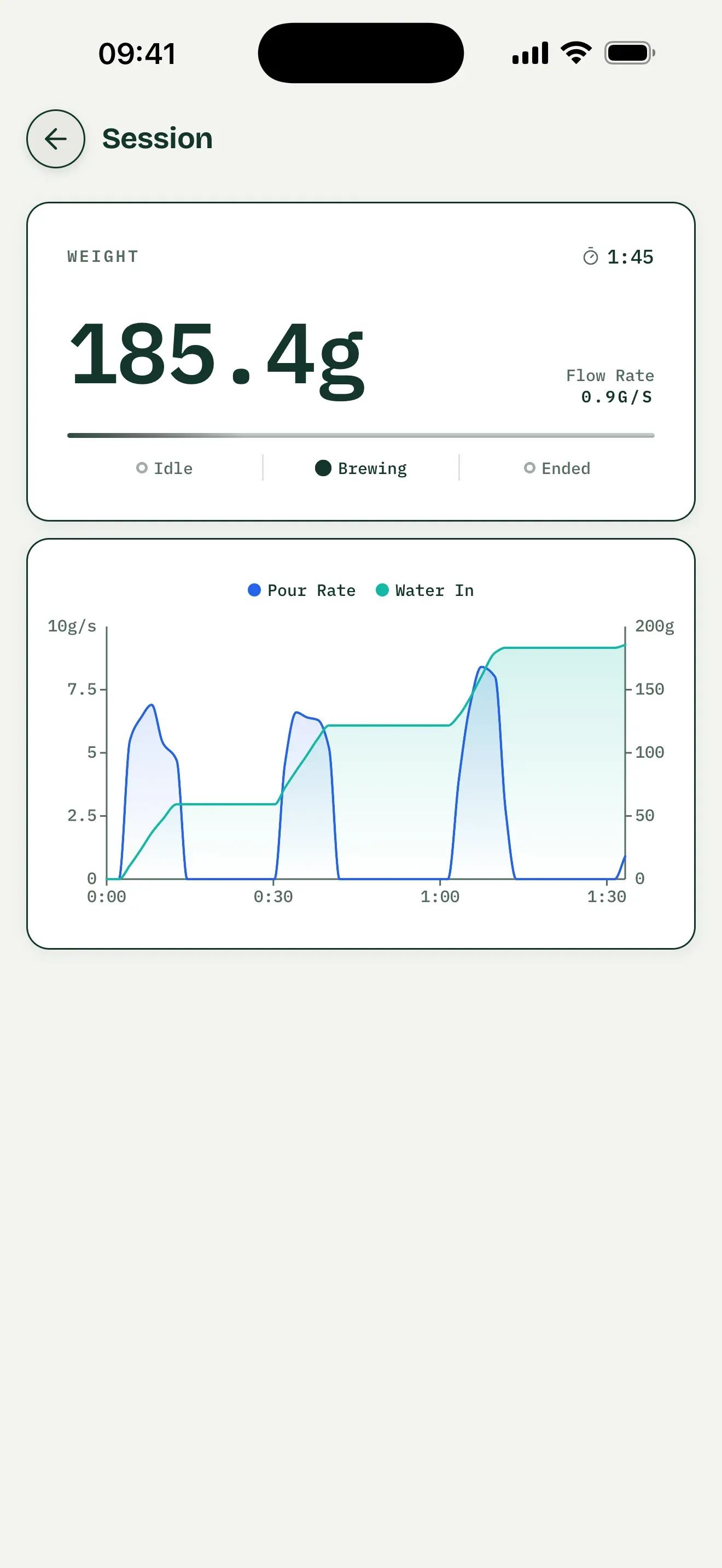
General interface example, not a hardware test of an Acaia Lunar or Pearl.
Save the Record and Review Each Pour
After an Acaia brew, save the recipe with its recorded session, coffee, grind setting, temperature, and tasting notes. Open the saved record and expand Pouring Structure to review detected pours, pauses, and phase timing beside the curve. Check whether your planned bloom and later pours matched what you recorded.
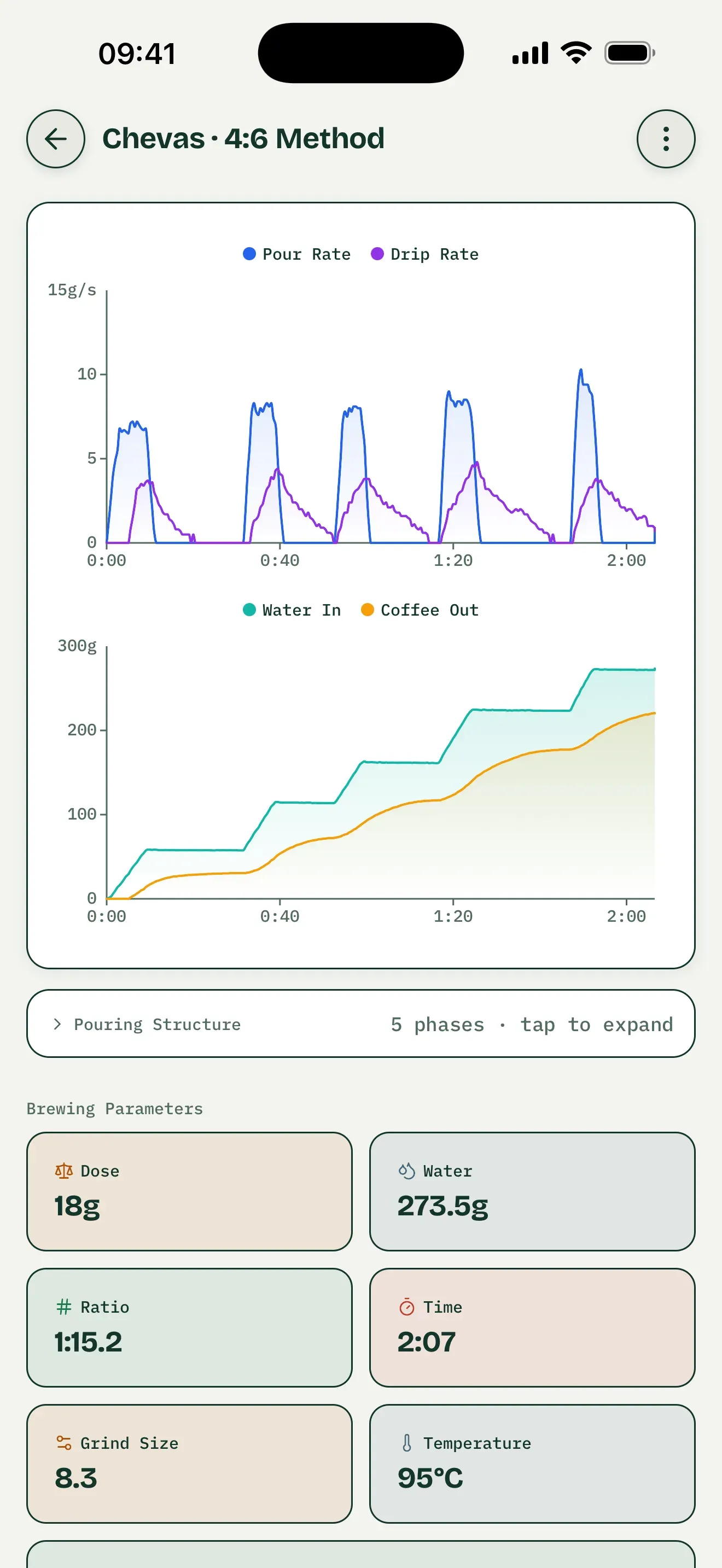
Saved-record interface example, not an Acaia test. Coffee-out and drip-rate metrics require suitable dual-weight hardware, not Lunar or Pearl.
Compare Brews One Variable at a Time
Select two saved brews and choose a baseline. Change only the grind setting while keeping coffee, dose, water, and pour plan the same. Overlay their weight or pour-rate curves and compare phase timing and water amounts. Keep tasting notes alongside the measurements; a chart cannot establish why a cup tastes different.
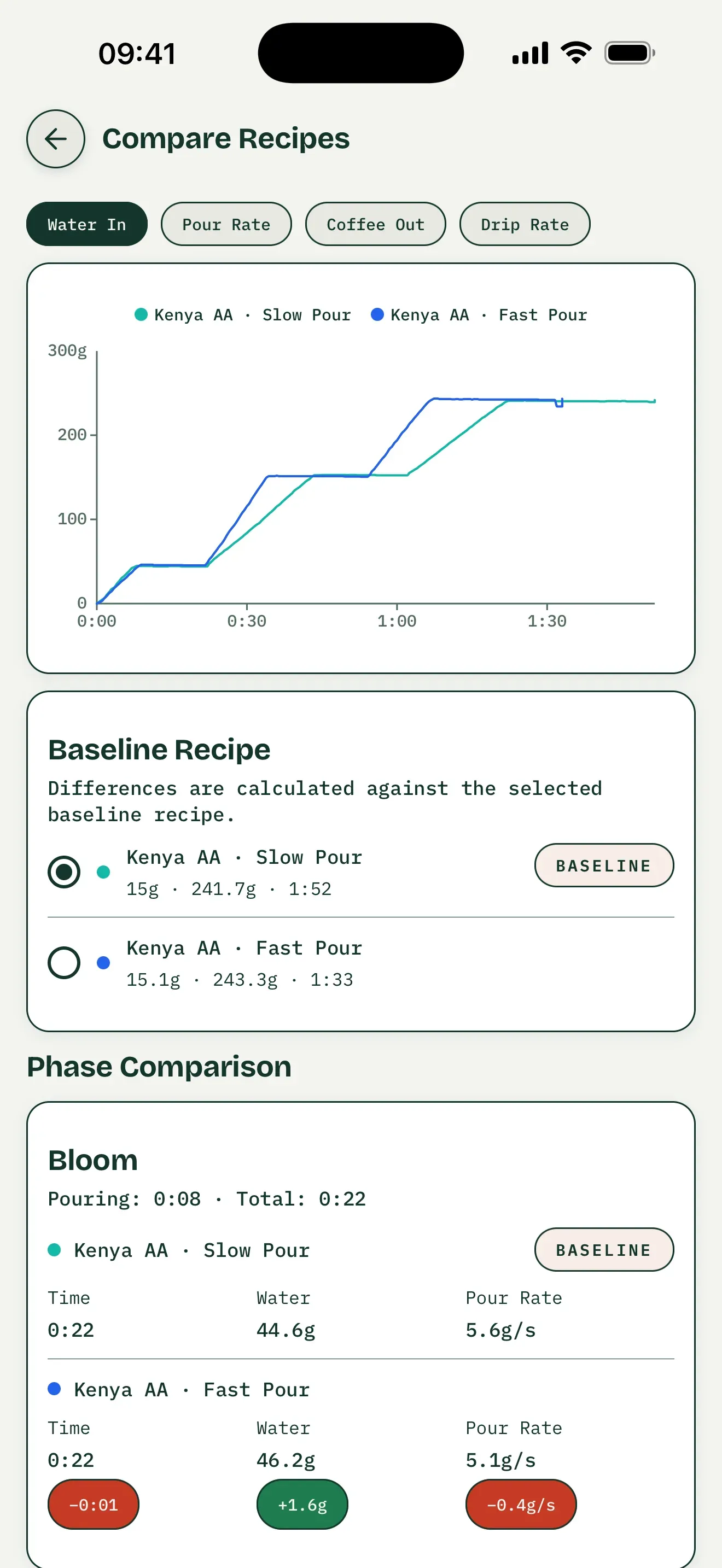
General comparison interface, not an Acaia test. The coffee-out and drip-rate tabs require dual-weight data.
Practice Against a Saved Brew
Open a saved recipe containing a recorded session, choose Recreate this brew to practice, and connect your supported Acaia scale. That saved curve becomes the target overlaid with your live curve, letting you check pour timing and weight as you brew. Following a preset instead uses its planned steps and targets; it does not recreate your recorded brew.
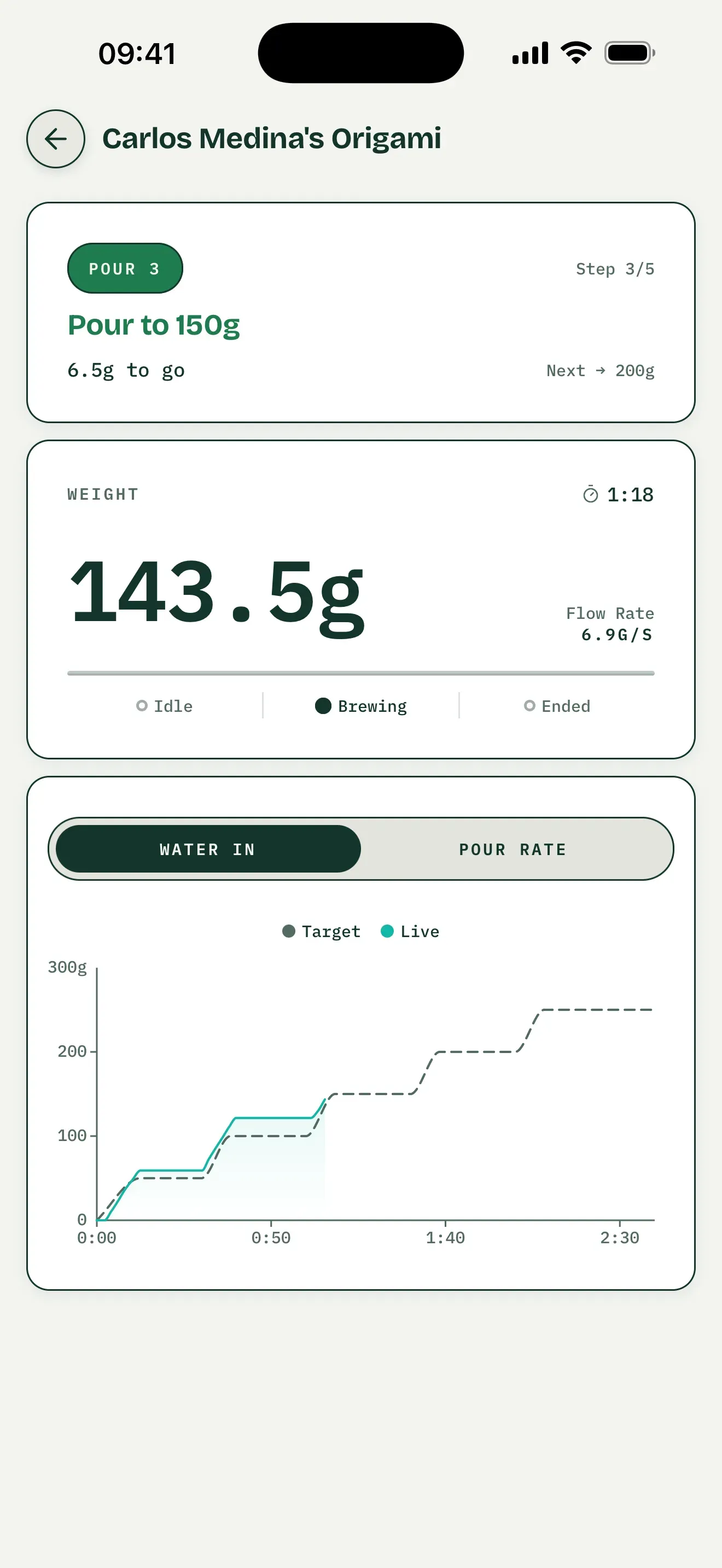
Preset-guidance interface example, not saved-brew practice or an Acaia model test.
Brew Better and Acaia Apps Serve Different Jobs
| What you need | Brew Better | Acaia’s official tools |
|---|---|---|
| Live weight and flow-rate chart | Yes | Depends on the Acaia app |
| Tare and timer controls | Yes | Depends on the Acaia app and scale |
| Detailed brew logs and comparison | Yes | Depends on the Acaia app |
| Automatic pour-phase analysis | Yes | — |
| Scale firmware updates | — | Yes |
| Model-specific device settings | — | Yes |
Acaia provides several apps for different purposes, including brewing, sharing recipes, and updating firmware. Its official app overview can help you choose the right official utility. You can keep those tools installed and use Brew Better for your everyday brew records.
Supported Acaia Scales
Brew Better supports the Acaia Lunar and Acaia Pearl. With a supported scale connected, the app can read live weight and battery level and send tare and timer commands.
Connect from Brew Better’s Bluetooth page; you do not need to pair the scale in your device’s Bluetooth settings. Follow the step-by-step Acaia connection guide if this is your first brew.
Start Brewing
Brew Better is available on iOS and Android. Download on the App Store or Get it on Google Play, turn on your scale, and connect it from Brew Better’s Bluetooth page.
Comparing all supported brands? See our Bluetooth coffee scale app guide.
Frequently Asked Questions
Can Brew Better replace Acaia Coffee or Brewmaster?
For live brewing, detailed records, pour analysis, and comparing brews, it can become your main brewing app. Keep an official Acaia app available when you need firmware updates or a setting that belongs to your particular scale model.
Can Brew Better control an Acaia scale?
Yes. On supported Lunar and Pearl scales, Brew Better can tare and start, stop, or reset the timer. It also reads live weight and battery status.
Do I need to delete the Acaia apps?
No. The apps can stay installed together. Before connecting, make sure another app is not actively connected to the scale, because a Bluetooth scale normally communicates with one app at a time. If the scale does not appear, check Brew Better’s permissions: on iOS, grant Bluetooth permission; on Android, grant Nearby devices permission when prompted. Older Android versions may request location permission for BLE scanning. Keep the scale powered on and nearby, then scan again in Brew Better.